One tap, one stamp
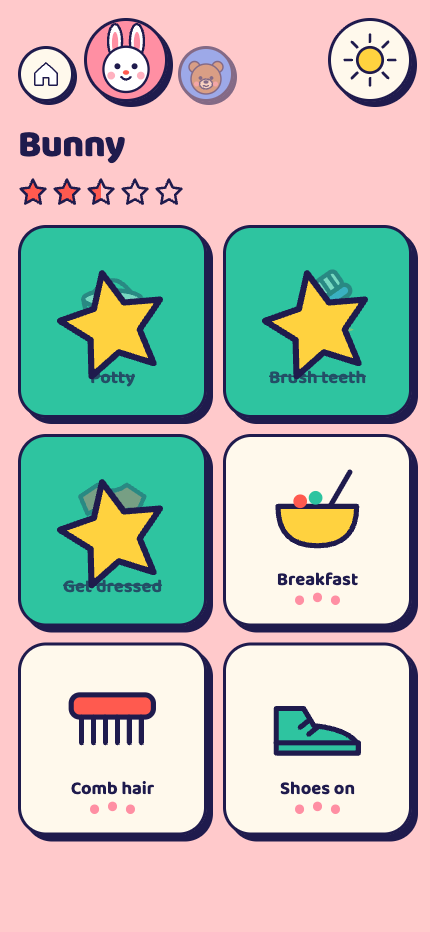
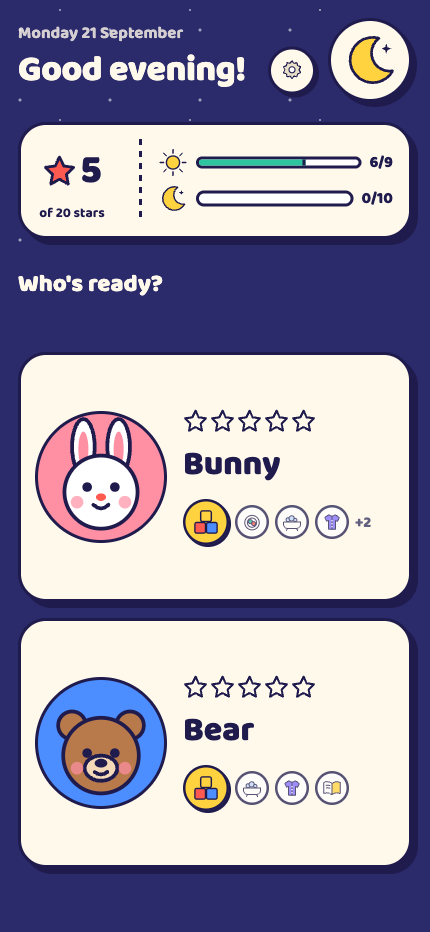
Each job is a picture with a word under it. A tap turns the tile green and drops the kid's own stamp on it. No reading needed, no menus, nothing to get lost in.
 LetKiddo
Morning and evening routines, for ages 3 to 9
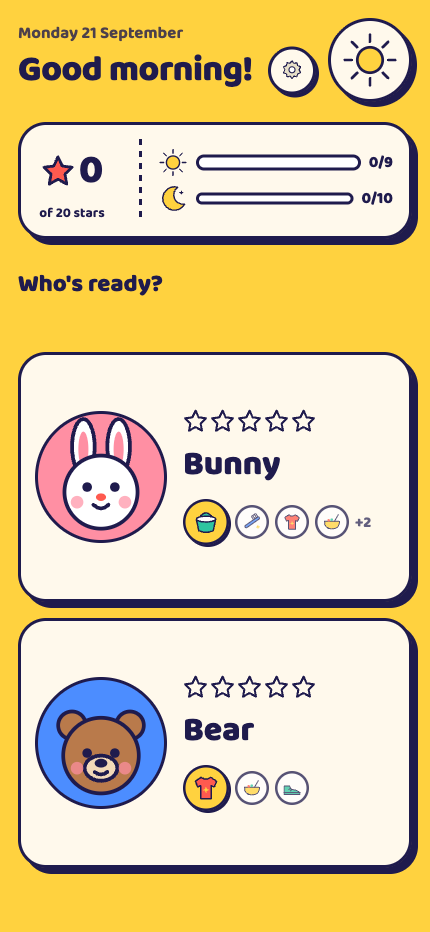
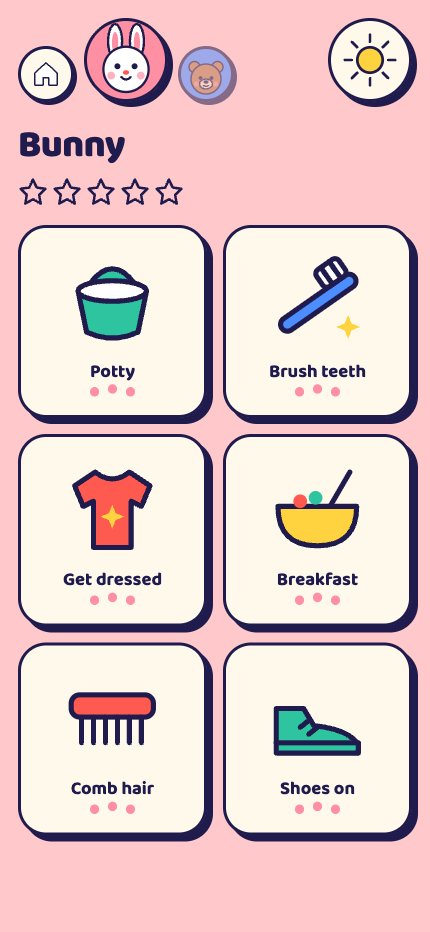
Every kid gets an animal buddy, their own colour and a picture list of the jobs for right now. They tap a job to stamp it done. The list starts fresh tomorrow.
No account. Nothing to sign up for.
No internet. Works on a plane, works in the bath.
No ads. Nothing for a kid to tap into.
Everything a kid meets on the first morning.
Each job is a picture with a word under it. A tap turns the tile green and drops the kid's own stamp on it. No reading needed, no menus, nothing to get lost in.
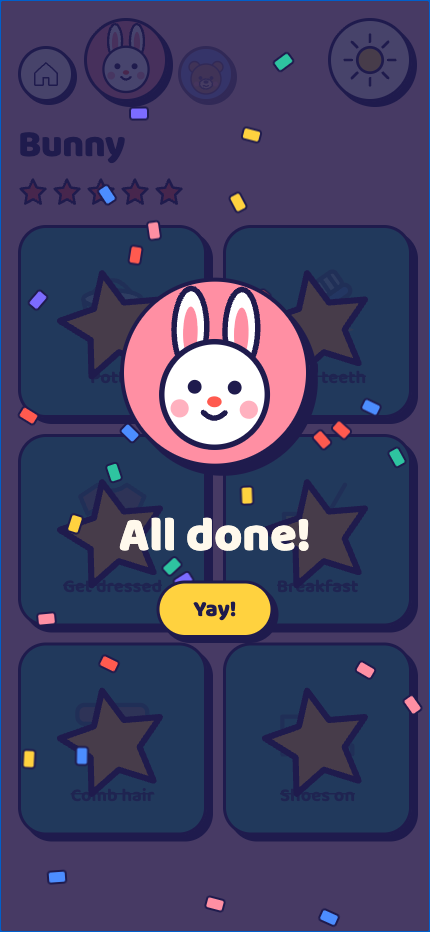
Clear the group and the screen throws confetti with a fanfare. Tomorrow the list is back, empty and ready.
Morning jobs until the afternoon, evening jobs after. The kid sees what is for right now.
One big job at a time with a Done button. For kids a whole list overwhelms.
Every kid's list side by side and tappable, on a tablet by the door. Mornings run themselves.
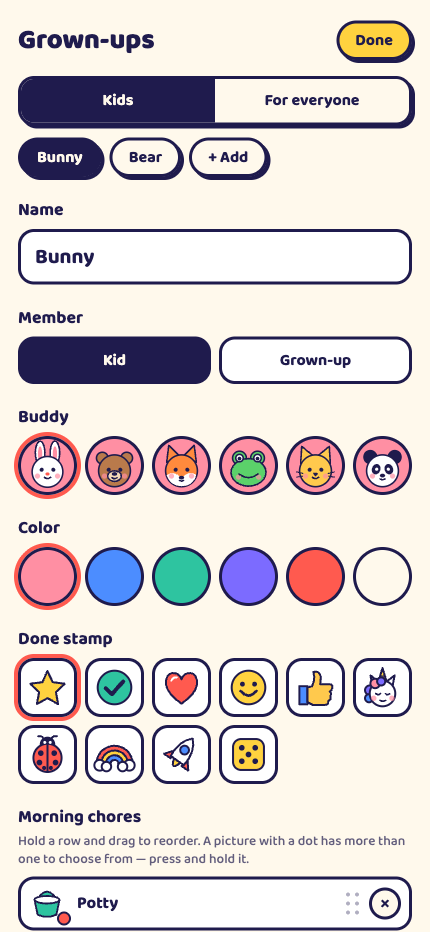
Bunny, bear, fox, frog, cat or panda, in a colour they pick, with a stamp from a star to a rocket.
A star for every finished job, counted on the Today card. Turn stars off and the stamp still lands.
The list is yours. What goes on it today, and what is for dinner, can be theirs.
The last tile on a kid's page is a plus. It opens a shelf of jobs you have allowed, pictures only. A tap puts one on today's list, where it earns a star like the rest and is gone by morning. The jobs you set stay put.
Bundle wash face, brush teeth and comb hair into one tile. It opens on its steps, each stamped on its own, and the whole routine stamps itself when the last one lands. One star for the lot.
Give any job a few choices: pasta, pizza, soup. The kid picks one, or rolls the die and lets it pick. The choice sits on the tile all day and on the wallboard, so everyone knows.
Drawn for a three-year-old's thumb and a nine-year-old's pride.
A kid who cannot read yet still knows the toothbrush. The word underneath is for the ones who can.
Routines stick when they are predictable. The morning list is there again tomorrow, without anyone asking.
No coins, no shop, no screen time to trade. Confetti, a fanfare, and the list is done. The habit is the prize.
Set the list once behind a press-and-hold gear, then hand over the tablet. The kid runs the morning. You stop repeating yourself.
Each one is a switch in the grown-ups sheet. Turn off what your kid does not need.
Swimming kit on Tuesdays, bins on Thursdays. Or leave it off and every job shows every day.
A third group for jobs with no time slot, next to morning and evening. Switch with the sun and moon orb or with buttons.
Add yourself: an empty list, no stars, the same tap to stamp it done.
Press and hold to open the settings sheet. Names, buddies, colours, stamps and lists live behind it.
A kid's page takes their colour, pale in the morning and deep at night, so the screen suits the hour.
iPhone, iPad and Android, portrait or landscape. The wallboard is built for the big screen.
Fifty-odd built-in jobs, each with its own picture, filed under eight headings, from washing a face to changing a nappy. Write your own when none of them fit.
The yellow one is homemade.
Picked in the grown-ups sheet. Dates and counts follow along.
Names, chores and stars sit in a database on the phone or tablet. There is no backend to send them to, no account, no analytics and no third-party code. Delete the app and the data goes with it.
As many as fit the family. Each one gets a name, a buddy, a colour, a stamp and their own lists.
The gear opens on a press and hold, not a tap. Small fingers find the chores; they do not find the sheet by accident.
Each device keeps its own lists. There is no sync, because there is no account and nothing leaves the device.
At midnight. Yesterday's stamps clear, the jobs a kid added for the day go, the dinner pick is forgotten, and the jobs set for today come back.
That is who it is drawn for. Every job is a picture first, the word under it second.
Pricing lands with the store listing. No subscription, no ads, no in-app purchases aimed at kids.